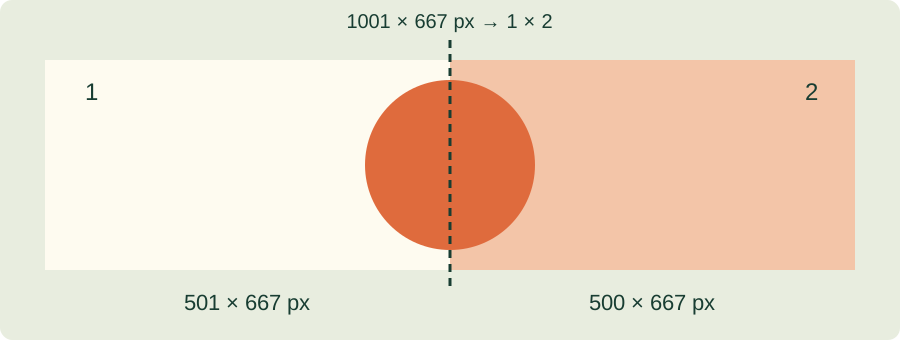
A small example
Imagine a source that is 1,001 pixels wide and a grid with two columns. Two 500-pixel pieces would cover only 1,000 pixels. A 500-pixel piece and a 501-pixel piece cover the full width. The same principle applies to rows. TilePrint Lab calculates boundaries across the full source extent, so each source position belongs to a tile. It does not shrink the image just to make the division exact.
Choose a grid or fixed-size pieces
A grid supports up to 10 rows and 10 columns. One row and two columns separate left and right halves; two rows and one column separate top and bottom halves. Fixed pixel dimensions support up to 256 pieces. In that mode, the last row or column keeps the remaining pixels and may be smaller. If another application requires equal dimensions, prepare a source divisible by the intended grid or tile size.
To inspect the boundaries on your own file, split the image by grid or pixel size and compare the piece dimensions.
Inspect the format and covered area
Download individual pieces or the full ZIP. PNG avoids additional lossy encoding and keeps transparency. JPG and WebP are compressed with loss; JPG fills transparency with white. Preserving all source positions does not guarantee identical colors in every application, because decoding and color handling can differ. Compare a detailed area with the original and keep that file. For paper assembly with overlap, use the poster tool.
For a paper assembly with repeated edges, create a tiled poster PDF instead of separate image files.
References & further reading
Updated: