Work out which part repeats
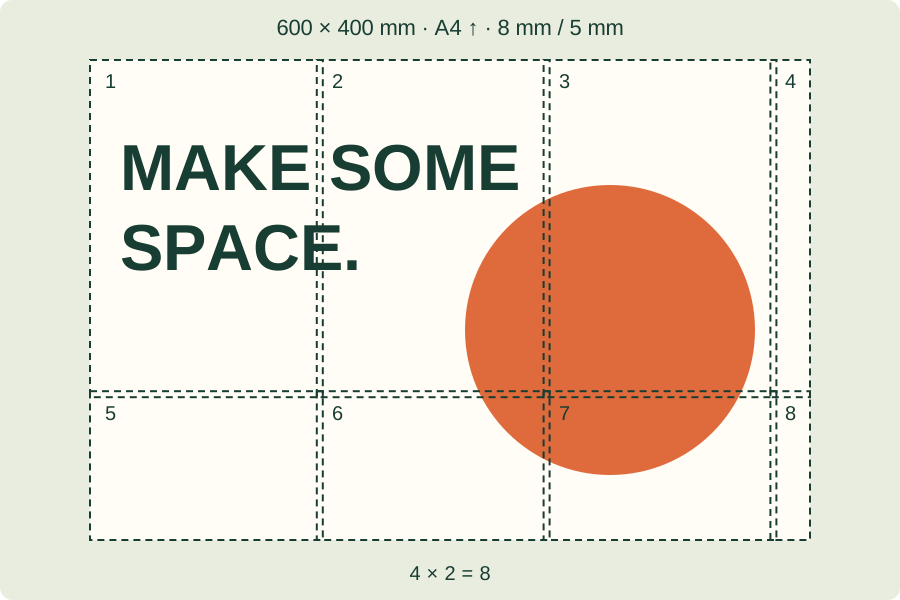
With a 5 mm overlap, adjacent sheets share a 5 mm strip of artwork. Keep one copy of that strip at the join; leaving both visible repeats the image, while trimming both away removes it. Lay two neighbouring sheets together before cutting, identify the same feature on both, and leave the outer paper margins until you have checked the join.
Need the numbered sheets first? Create the tiled poster PDF from your original image.
Lay out the sheets before cutting
Arrange the printed pages in their labelled rows and columns on a flat surface. For the 600 × 400 mm A4 portrait example, that means four columns and two rows. Some final sheets contain only a narrow remainder of the picture. Keep them in the layout: an empty paper margin does not mean the image tile is unnecessary. Compare a distinctive line or shape across each neighbouring pair.
Trim one edge of each join
Choose a consistent direction of assembly, starting from one corner. Trim the blank margin from one sheet at a join, then place it over the matching repeated area of its neighbour. Check the artwork rather than aligning only the paper edges. Attach the join after the feature lines up. Keep the outside margins until the whole picture has been checked, and avoid removing both copies of an overlap strip.
If the join still does not match
Measure the 50 mm check line on page 1: it should be 5 cm on paper. If its size is wrong, use the actual-size printing guide before cutting more sheets. If its size is right, compare the page labels, orientation and shared image area. Open the original PDF again if a page may have been printed with different settings.
For a check line that does not measure 50 mm, correct the PDF print scale before cutting.
References & further reading
Updated: